Legal software

The guide to legal software

On this page you will find information about legal software, or software developed specifically for lawyers and for legal professionals. There is a lot of software available for law firms. From software packages developed specifically for the legal profession to generic software applications: from CRM to document management and from timekeeping to practice management. In this special we will focus mainly on practice management software for the legal profession, as it is the fundamental system for every law firm.

Practice management software: the foundation for law firms

Within practice management software (PMS) for the legal profession, every feature is tailored to legal practice. Everything you need to run your practice is there. Think about timekeeping, billing, matter management, reporting and integration capabilities with external software applications such as your accounting package, CRM or document management system.

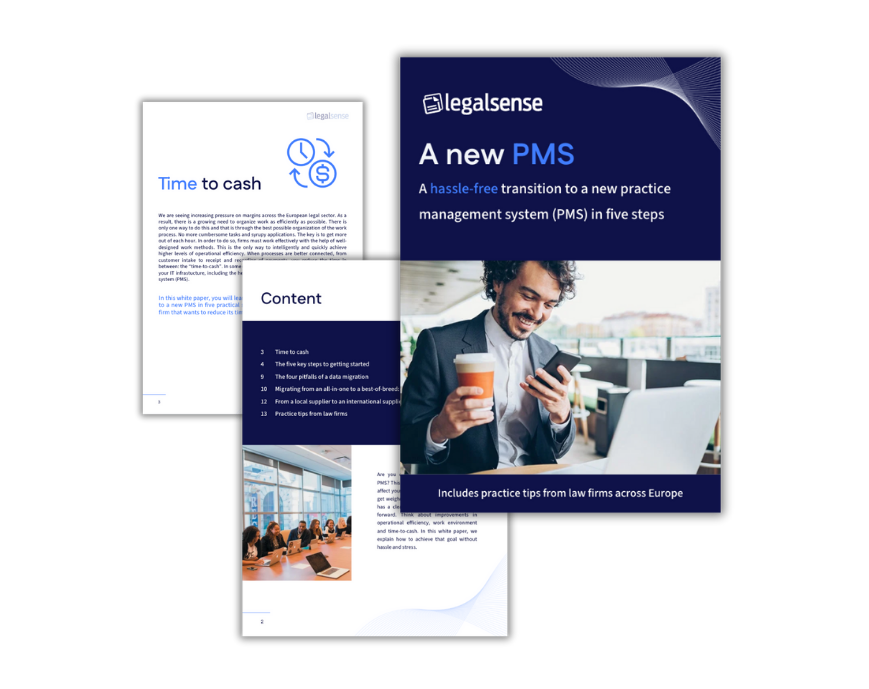
White paper: A new PMS

How to switch to a new PMS without hassle.

  • Includes practice tips from law firms across Europe
  • Completely free of charge

Functionalities PMS software for the legal profession


Time registration for lawyers

Clarity and simplicity are crucial elements for optimal use of a timekeeping system. Want to quickly search for previously written time entries and enter time spent, anywhere, anytime? With practice management software for lawyers and legal professionals, timekeeping for lawyers becomes child's play. Whether you are sitting on the couch at home, in court or at your vacation address, no phone call or email will be forgotten by also using timekeeping functionalities on an app. Software for lawyers allows you to design this in an intuitive way.

Timekeeping is not the biggest hobby for most lawyers. Yet recording your hours is critical to the success of your practice. The key is to select attorney software aimed at efficient timekeeping for lawyers, where these eight features are indispensable. That way, as a lawyer, you can record your time in a way that truly suits you.

Billing

A digital billing process set up the way you like it, makes billing within legal software a lot easier. It goes without saying that it will be provided in your firm's corporate identity. Manual billing rounds are a thing of the past; efficient and fast invoicing is the norm. This gives you more control over your cash flow.

Legal matter management

Client data, invoices, hours written, work in progress, budget status and reports: all the essential components of your matter should be available in your lawyer software with a single click. Wherever you are.

As an attorney, it is important that you work with matter management software developed specifically for the legal profession. Essential data of your matter should be available with one click. You can read here what contemporary matter management software for the legal profession has to meet.


Law firm reports

Create reports based on your criteria. Select your building blocks and create a professional report in no time. From a comprehensive management report, a weekly time sheet, to a performance report: this is legal software in 2026. 


Legal software integrations

Within the legal profession, there are several software applications you might use, such as Twinfield, Exact Online, NetDocuments, Epona DMSforLegal, Epona ContactManager, iManage Work(site), Custodian for Legal (Transform Data) and Contentworker by Formpipe. It is crucial that you benefit from seamless data exchange between a practice management system and these specialized sub-solutions.


Take advantage of the power of integration

What do we see in the legal profession when we look at practice management software? Increasingly, this involves choosing specialized SaaS providers that excel in a sub-component of a complete digital work environment. Together, these providers of attorney software integrations provide an ideal work environment for your office. For example, where Legalsense as an attorney software focuses on managing your clients and matters, other SaaS providers take care of the other parts of your practice, think CRM, document management, accounting and compliance. Based on your personal choices for vendors and tools, you combine everything into a total solution to your liking. This trend, also called best-of-breed, is going to continue in the coming years.
 

Working in a Microsoft 365 environment

More and more firms are seeing the benefits of working within a Microsoft 365 environment (not only because of the communication capabilities with MS Teams, but also to collaborate on documents online, book calendars online, etc.).

If you want to seamlessly combine this work environment with practice management software, it is advisable to look out for an application that can do so. For example, several software applications for lawyers run in a browser, so they work seamlessly with MS 365 applications. Some PMS advocacy applications work with their own mail system, which means that interfacing with MS Outlook, for example, is not possible.

If you want to take full advantage of MS 365's capabilities, examine this point carefully during a PMS selection. For example, if you use a SharePoint-based document management solution, you can go one step further. In that case you will have your files available in MS 365 and in tools such as Teams. A key item for the checklist.

Options: all-in-one or best of breed


The differences between lawyers' software in an all-in-one or best of breed solution

As a law firm, you have a choice for new legal software between a traditional all-in-one software package or a best of breed solution. In an all-in-one solution, as many processes and functionalities as possible, such as CRM, timekeeping and document management, are housed in one package. A best of breed environment, on the other hand, consists of online (SaaS) subcomponents from different vendors, such as Legalsense, that are linked. One way this is done is through APIs. These subcomponents are applications focused on a single business process. This means that, because of the focus, these applications are often better developed in terms of functionality and are more user-friendly.'

Why practice management software for the legal profession in a best of breed environment?

1. Take advantage of the power of integration

Where a PMS focuses on managing the time and billing process and your clients and matters, other SaaS providers take care of the other parts of your practice. Think CRM, document management, financial administration and compliance. Based on your personal choices for vendors and tools, you combine everything into a total solution to your liking.

Working (together) within MS 365

More offices want to seamlessly combine MS 365 with a PMS. In a best of breed environment with a PMS in a SaaS solution, this is possible. For example, Legalsense runs in a browser, so it works seamlessly with MS 365 applications. Some PMS systems work with a proprietary mail system, so interfacing with MS Outlook, for example, is not possible. If you want to take full advantage of the capabilities of MS 365, examine this point carefully during a PMS selection.

3. Practice management based on Business Intelligence (BI).

What is your cost price per jurisdiction, which sections make the most margin, where is time leaking away, etc.? Based on well-thought-out Business Intelligence reports, you make informed choices. Within most PMS systems you can run standard reports. If you want to add more depth, a BI tool can help. You link this within a best of breed environment to your PMS.

Why new legal software

The reasons why firms switch to new attorney software vary widely. Arguments we hear most often are listed below.

  • Our current system is no longer supported.
  • The billing process is far too cumbersome.
  • Our existing on-premise application is becoming too expensive to maintain.
  • Our existing application does not integrate with other applications, or does not integrate optimally.
  • We want to get started with Business Intelligence.
  • Lawyers need to be able to write time with less frustration.
  • We are moving to a document management system, but it does not integrate with our all-in-one application.
  • We want to meet the needs of the new generation. They want to work anywhere; securely and intuitively.

Working safely in the cloud

Various software applications for the legal profession work in a best of breed environment, in the cloud. For some firms, the move to the cloud still feels daunting, yet most are convinced of the convenience and security of working in the cloud. This is partly due to the Covid pandemic, which caused many people to switch over and become used to working flexibly in a cloud environment. For those who have not yet made the switch: working in the cloud is proven to be secure, scalable and flexible.


Working on the go

As a modern attorney or lawyer, you also want to be able to work on the go. With contemporary software for lawyers, this is child's play. Especially if you work with an application in the cloud. Create or view matters, register time or even send an invoice, no phone call, e-mail or action is forgotten.


How to: how do I make the billing process run more efficiently?

In many firms, invoices cannot be forwarded directly to the client because they still require verification. At larger firms, an invoice may have to go through several managers. This causes a delay, increasing the "time to cash" (the time from client intake to receiving and recording payments). By simply automating the billing workflow, you can benefit directly. Even remote offices can save time and maintain an overview by automating their flow.


The world is not a static place, and neither is the legal profession. Something you conceived three months ago may now be subject to change because the needs of clients or colleagues have changed, or because you have made a conscious decision to address certain areas of work gradually. Another reason to engage with your PMS constantly is that your supplier is not standing still either. Ensure that the right people in your office receive information about this, such as release notes, newsletters and webinars. This will ensure that you always know what is going on and which additional features you might be able to use. You could also participate in customer panels. Keep yourself and your office informed. A PMS is the beating heart of your office — make sure it stays healthy and vital!

We are seeing increasing pressure on margins across the European legal sector. Consequently, there is an increasing need to organise work as efficiently as possible. The only solution is to organise the work process as effectively as possible. Cumbersome tasks and slow applications are a thing of the past. The key is to increase profit per hour. To achieve this, offices must work effectively using well-thought-out methods. This is the only way to quickly and smartly achieve a higher degree of operational efficiency.

Once processes are better connected, from client intake to receiving and recording payments, the time taken is reduced: the 'time to cash'. In some cases, this requires replacing or supplementing technological tools, including the core of your practice: the practice management system (PMS).

The advantage of working in the cloud is flexibility. Do you need more or less capacity? That's not a problem with cloud solutions, since they adapt to your needs. With an on-premises solution, you have to invest in server capacity up front. This is also where the difference in investment comes in. With an on-premises solution, you face high initial costs, as well as depreciation, hiring IT services and management, and the cost of installation. With cloud applications, however, you pay a fixed monthly fee for what you need or consume, which usually includes maintenance, management and updates. You can be sure that you are working with the latest versions in a secure environment. In an on-premises environment, it is up to your office to ensure these things are in place. A hybrid form is also possible. Make sure you are well informed by your IT partner about the possibilities of running office software for lawyers in the cloud or on-premises.

Questions or interested in what Legalsense can do for your firm?

Schedule a free demo or contact us below.